Go to Leads & Lists, then Lead List and select the name of your list.
The list will open.
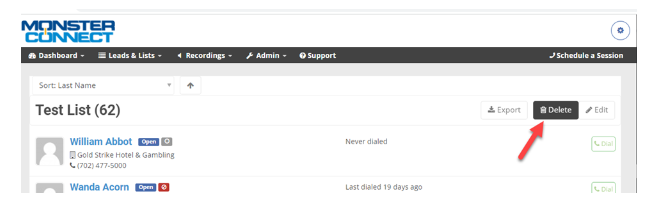
Select the Delete button to the right.
Your list should be deleted.
Go to Leads & Lists, then Lead List and select the name of your list.
The list will open.
Select the Delete button to the right.
Your list should be deleted.